

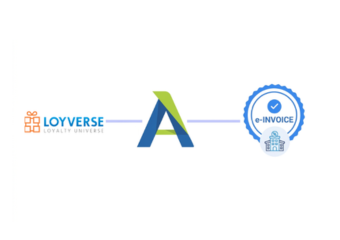
Compliance Built for Loyverse Retail Workflows
How Loyverse POS Sales Reach Advintek
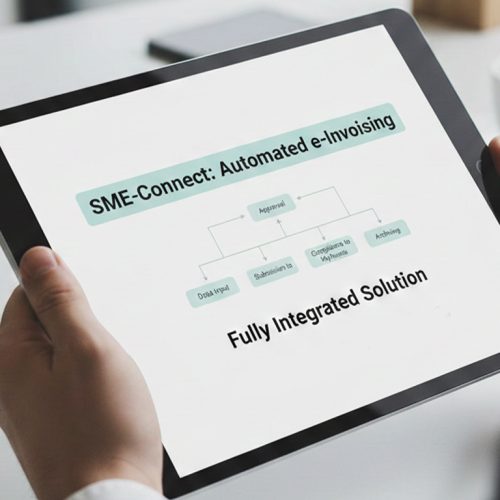
- Sales Data Capture: Captures completed Loyverse POS sales and prepares relevant fields for the connected electronic invoicing workflow.
- Receipt Detail Matching: Matches customer and receipt details with configured invoice requirements before document creation begins for processing.
- Tax Attribute Checking: Checks tax and transaction attributes before approved data enters structured invoice preparation workflows for validation.
- Invoice Record Building: Builds invoice-ready records from verified retail information gathered through Loyverse POS transactions for processing.
- Processing Result Capture: Returns processing outcomes so teams can review rejected or incomplete transaction records promptly within Loyverse workflows.
- Sales Record Association: Associates processed invoices with source sales for reconciliation and transaction-level visibility across retail operations.
What Does Loyverse POS Integration Handle
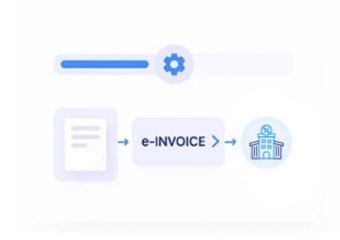
Advintek connects Loyverse POS with an invoice-processing environment that organises retail transaction data, checks configured fields, prepares E-invoice records, captures processing responses, and links completed documents back to their originating sales.
- Connect checkout records with invoice workflows
- Map customer details into invoice fields
- Check tax attributes before document preparation
- Link responses with originating sales
Why Retail Teams Connect Loyverse POS
- Product Data Mapping: Relevant product, receipt, customer, and sales information is structured within configured invoice fields for downstream processing.
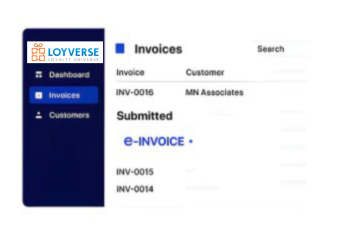
- Transaction Attribute Checks: Completed Loyverse POS sales are reviewed for applicable transaction attributes before invoice information moves into document preparation.
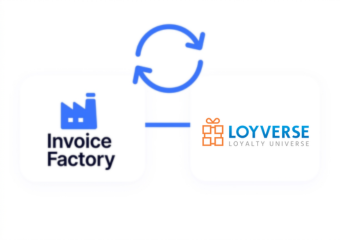
- Customer Detail Organisation: Required customer and billing information is arranged within the workflow to support accurate documents for store-level transactions.
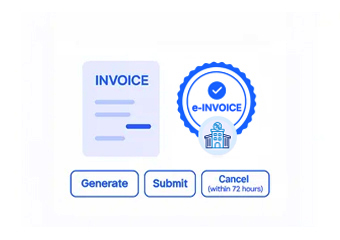
- Invoice Record Creation: Approved sales details are transformed into invoice-ready records while allowing established Loyverse POS checkout processes to continue.
- Exception Response Tracking: Processing results and identified exceptions are recorded for timely review and follow-up on affected retail transactions.
- Source Transaction Linking: Originating sales references remain associated with invoice records to support reconciliation and traceability across multiple retail locations.
South Africa Tools for Loyverse POS
Invoice Review Workspace
Review invoice-ready transaction details, customer information, tax fields, and processing outcomes within one workspace.
Transaction Reconciliation View
Compare source sales with invoice records when investigating discrepancies across stores, products, or customer transactions.
Exception Tracking Console
Track document preparation activity and exceptions to support cleaner handoffs between retail and finance teams.
Loyverse POS Retail Support in South Africa
Advintek connects Loyverse POS environments with structured electronic invoicing workflows suited to retailers managing sales, customer records, receipts, products, and finance processes across South Africa.
- Support Loyverse retail operations across South Africa
- Connect checkout activity with invoice preparation
- Coordinate customer data across sales records
- Review invoice exceptions through connected workflows
Create a Connected Retail Workflow
Loyverse POS with South Africa e-invoicing through Advintek directly.
Align invoice processing across connected retail workflows.
Ready e-Invoice System
Frequently Asked Questions Loyverse e-Invoicing South Africa
How can Loyverse POS support South Africa e-invoicing?
Advintek connects Loyverse POS transaction information with an electronic invoicing workflow that organises sales, customer, receipt, product, and tax data for invoice preparation. This allows retailers to retain Loyverse for daily point-of-sale activities while relevant information transfers into structured processing, validation, response handling, and record-management workflows.
What retail information can Advintek take from Loyverse POS?
Depending on the configured integration, Advintek can process relevant sales, receipt, customer, product, tax, and billing information from Loyverse POS. Selected fields are mapped into the invoice workflow, helping retailers prepare consistent electronic invoice records without manually reconstructing transaction details after checkout. The exact field mapping can be configured around business requirements.
Does SARS currently require every Loyverse POS retailer to e-invoice?
SARS has proposed a Digital VAT Model combining e-Invoicing, an Interoperability Framework, and e-Reporting. The framework is being developed through consultation and phased implementation rather than operating as a universal requirement for every retailer today. Loyverse businesses can use this period to review transaction data, integration capabilities, and electronic invoicing processes.
Can Loyverse POS remain the main retail system?
Yes. Loyverse POS can continue handling products, customers, receipts, sales, and checkout operations while Advintek manages the connected electronic invoicing layer. Relevant transaction information can pass from the POS environment into configured invoice workflows, allowing retail teams to preserve familiar store processes while finance teams gain structured records for validation, processing, reconciliation, and review.
Why connect an e-invoice layer to Loyverse POS?
An e-invoice layer adds structured invoice preparation, field validation, processing visibility, exception handling, and record linkage around Loyverse POS transactions. Advintek helps retailers coordinate these activities without replacing their POS environment, creating a clearer connection between checkout data and finance processes while supporting preparation for South Africa’s evolving digital VAT administration framework.