Compliance Designed for Integrated Enterprise Operations
How Digiwin T100 Data Flows
- Transaction Data Capture: Captures relevant Digiwin T100 transaction information and prepares selected fields for configured invoice workflows across connected systems.
- Account Detail Matching: Matches customer, account, and transaction references against required invoice fields before processing begins within configured workflows.
- Tax Field Checking: Reviews applicable tax information before validated ERP data enters structured document preparation for electronic invoice processing.
- Invoice Record Assembly: Converts approved Digiwin T100 information into structured invoice records for connected processing and exchange across business workflows.
- Response Status Recording: Records processing responses so finance teams can identify exceptions and investigate affected documents with greater visibility.
- Source Entry Linking: Associates invoice records with Digiwin T100 source entries for reconciliation, reporting, and financial administration across connected accounting processes.
What Does Digiwin T100 Connector Manage?
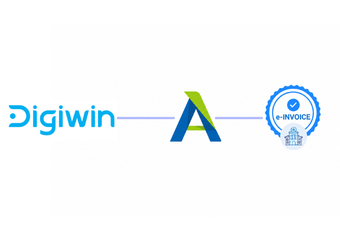
Advintek connects Digiwin T100 with E-invoicing workflows, allowing relevant enterprise information to pass through field mapping, data checks, invoice preparation, processing responses, and source-record reconciliation.
- Connect Digiwin T100 transactions with Advintek
- Map account data into invoice fields
- Check tax details before processing
- Associate responses with source transactions
Why Digiwin T100 Businesses Connect Advintek
- Enterprise Data Coordination: Connects Digiwin T100 transaction information with E-invoicing while preserving established ERP operations and accounting workflows.
- Field Accuracy Control: Helps identify missing or inconsistent information before records enter invoice processing workflows for structured processing.
- Transaction Traceability: Maintains links between processed invoices and their originating T100 transactions for investigation and financial reconciliation.
- Finance Process Visibility: Gives accounting teams clearer oversight of invoice status, responses, exceptions, and corrections across connected workflows.
- ERP Integration Continuity: Extends existing Digiwin T100 processes through an integration layer rather than replacing the ERP environment or accounting systems.
- South Africa Readiness: Helps organisations structure invoice processes around South Africa’s developing digital VAT administration framework and e-invoicing environment.
Centralized Control for Every Compliant Invoice
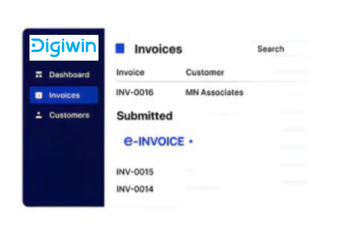
Document Review Workspace
Examine invoice information, transaction references, tax details, and processing results through one interface.
Transaction Matching View
Compare processed invoice records with originating T100 transactions during reconciliation and financial investigation.
Response Tracking Console
Monitor processing responses and exceptions while helping finance teams coordinate required corrections efficiently.
Digiwin T100 Support in South Africa
Advintek connects Digiwin T100 enterprise workflows with structured electronic invoicing, helping businesses coordinate transaction information, customer accounts, tax data, invoice records, and finance processes across South Africa.
- Support T100 operations across South Africa
- Connect ERP transactions with invoice processing
- Coordinate account information across documents
- Review exceptions through connected ERP workflows
Automate Your Manufacturing Invoice Flow
Manage enterprise invoice workflows through one connected layer.
Bring Digiwin T100 into South Africa e-invoicing with Advintek.
Ready e-Invoice System
FAQs Digiwin T100 e-Invoicing South Africa
What does Advintek connect to within Digiwin T100?
Advintek connects relevant Digiwin T100 transaction and accounting information with an electronic invoicing layer. Depending on configuration, this can include customer accounts, transaction details, tax information, billing references, and other invoice-related fields. The integration then supports structured document preparation, processing responses, exception handling, and links back to originating ERP records with SARS considerations.
How are Digiwin T100 transactions prepared for electronic invoices?
Relevant Digiwin T100 transaction data is mapped into configured invoice fields before document preparation. Advintek can check required information, organise transaction attributes, structure invoice content, and capture processing results. This creates a controlled path from ERP records toward electronic invoice processing while allowing the organisation to retain Digiwin T100 for its established enterprise operations.
Does SARS affect Digiwin T100 invoice workflows?
SARS is developing a proposed Digital VAT Model that combines e-Invoicing, an Interoperability Framework, and e-Reporting. Digiwin T100 users can review how their ERP stores invoice-related information and establish suitable integration processes. Advintek can provide the connecting layer for structured transaction processing as South Africa develops its digital VAT administration approach.
Can Digiwin T100 remain the source ERP?
Digiwin T100 can remain the organisation’s source environment for relevant enterprise transactions and accounting information. Advintek works alongside the ERP, receiving configured data for electronic invoice preparation and processing. Results can then be associated with originating Digiwin T100 records, supporting reconciliation and review without requiring businesses to replace their established ERP workflows.
What advantages does e-invoice software add to Digiwin T100?
e-Invoice software adds structured document preparation, field validation, processing visibility, response tracking, and transaction reconciliation around Digiwin T100 data. Advintek helps connect these functions with existing ERP records, giving finance teams a more organised route from enterprise transactions to electronic invoices while supporting preparation for South Africa’s evolving digital VAT environment.