Compliance Built for Epicor iScala Retail Operations
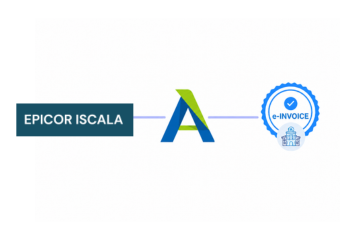
How Epicor iScala Data Reaches Advintek
- Financial Data Capture: Captures approved sales and financial records from iScala for configured electronic invoice processing workflows.
- Reference Detail Matching: Matches customer, supplier, and transaction references against required invoice fields before document preparation begins.
- Tax Information Review: Reviews tax, account, and billing attributes before validated information enters structured invoice processing activities.
- Invoice Record Construction: Constructs electronic invoice records from verified iScala data for exchange and downstream response handling.
- Processing Outcome Recording: Records processing outcomes so finance teams can investigate exceptions and correct affected invoice records.
- Source Transaction Linking: Links completed invoice documents with iScala source transactions for reconciliation and financial reporting activities.
What Does Epicor iScala Integration Handle
Advintek connects Epicor iScala financial and operational information with E-invoicing workflows, allowing selected ERP records to pass through configured preparation, checking, processing, response, and reconciliation activities.
- Connect Epicor iScala transactions with Advintek
- Organise customer data across invoice records
- Structure purchasing information before processing
- Trace invoices to source transactions
Why Epicor iScala Businesses Connect Advintek
- Financial Process Continuity: Connects Epicor iScala financial records with E-invoicing while preserving established accounting and operational processes.
- Data Completeness Checks: Helps identify incomplete customer, supplier, tax, or billing information before invoices enter processing workflows.
- Transaction Traceability: Links E-documents with originating iScala transactions for clearer reconciliation and financial investigation activities.
- Finance Process Visibility: Provides finance teams visibility across invoice status, responses, exceptions, and correction requirements within operations.
- ERP Workflow Extension: Extends existing iScala processes through a dedicated invoice layer without replacing core ERP workflows.
- South Africa Preparation: Supports South Africa organisations preparing structured invoice processes around the evolving digital VAT framework.
Complete Control Over Epicor iScala South Africa E-Invoicing Workflows
Invoice Review Workspace
Review invoice fields, accounting references, tax information, and processing outcomes within one workspace.
Transaction Reconciliation View
Compare processed documents with iScala transactions during reconciliation, investigation, and financial review activities.
Response Monitoring Console
Monitor invoice responses, exceptions, and correction requirements across connected finance workflows from iScala.
Epicor iScala Support Across South Africa
Advintek connects Epicor iScala enterprise processes with structured electronic invoicing, helping organisations coordinate sales, purchasing, accounting, customer, supplier, and financial records across South Africa.
- Support Epicor iScala operations across South Africa
- Connect sales records with invoice processing
- Coordinate supplier data across financial documents
- Review invoice issues through ERP workflows
Strengthen Your Enterprise Billing Workflow
Link Epicor iScala with South Africa e-invoicing through Advintek today.
Coordinate finance records across connected invoice workflows.
Ready e-Invoice System
Frequently Asked Questions Epicor iScala ERP E-Invoicing South Africa
Can Epicor iScala credit notes be included in e-invoice workflows?
Relevant credit note information from Epicor iScala can be incorporated into configured electronic invoice workflows where required. Advintek can process applicable references, amounts, customer details, tax information, and supporting transaction data. This helps maintain relationships between original invoices and subsequent adjustments while giving finance teams better visibility over related electronic invoice records.
How are Epicor iScala invoice corrections handled through Advintek?
When invoice information requires correction, relevant Epicor iScala data can be reviewed against configured validation rules before further processing. Advintek can capture processing responses and identify exceptions requiring attention. This allows finance teams to investigate affected records, make necessary corrections within their established ERP processes, and continue the electronic invoice workflow with updated information.
Can Epicor iScala tax information be mapped for electronic invoices?
Yes. Relevant tax information stored within Epicor iScala can be mapped to configured electronic invoice fields according to the organisation’s requirements. Advintek can review applicable tax attributes alongside customer, transaction, and invoice information before structured processing. The specific tax fields handled depend on the ERP configuration and the invoice scenarios included in the integration.
Does Advintek support Epicor iScala invoice reconciliation?
Advintek can associate processed electronic invoice records with their originating iScala transactions, providing useful references for reconciliation activities. Finance teams can review invoice information alongside source accounting entries and processing responses when investigating differences. This connected record structure can support financial review and reconciliation without requiring teams to abandon their established Epicor iScala accounting processes.
Can Advintek handle Epicor iScala invoices across multiple entities?
Advintek can be configured around Epicor iScala environments supporting multiple entities, business units, or operational structures where relevant invoice workflows require separate processing rules. Entity-specific information can be mapped and processed according to configured requirements. The integration scope depends on the organisation’s Epicor iScala architecture, invoice processes, tax configuration, and electronic invoicing needs.