

Compliance Built for Power Apps Business Operations
How Microsoft Power Apps Supports Invoicing
- ERP Data Collection: Receives selected ERP information through Microsoft Power Apps applications before records enter invoice preparation workflows.
- Record Relationship Mapping: Associates business partners, products, accounts, and transaction references across connected application data.
- Approval Status Checking: Confirms required business approvals before eligible records proceed into electronic invoice preparation.
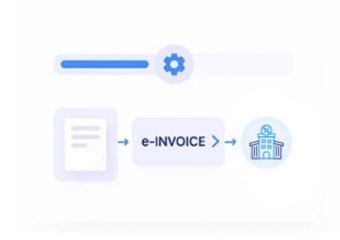
- Invoice Data Assembly: Combines approved ERP information with configured fields for structured electronic invoice creation.
- Processing Response Handling: Records electronic processing outcomes against application and ERP references for operational review.
- Source Record Reconciliation: Connects completed invoices with originating business records for finance reconciliation and transaction investigation.
What Advintek Connects With Microsoft Power Apps
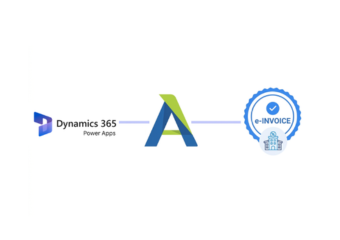
Advintek connects Microsoft Power Apps applications with electronic invoicing while linking relevant ERP data, Dataverse records, business rules, approvals, and finance information into a controlled invoice workflow.
- Link Microsoft Power Apps with ERP data
- Coordinate approvals across invoice processes
- Link Dataverse records with billing information
- Trace invoices through source applications
Why ERP Teams Use Microsoft Power Apps
- ERP Process Extension: Extends ERP processes through tailored Power Apps interfaces without replacing established enterprise systems or workflows.
- Controlled Data Entry: Guides users through structured forms that capture invoice information consistently across business processes and records.
- Approval Workflow Coordination: Connects operational approvals with invoice preparation so eligible records enter processing through defined workflows.
- Master Data Consistency: Reuses connected customer, supplier, product, and account information across application workflows and invoice processes.
- Cross-System Collaboration: Links application activity with external ERP information where finance and operations use different platforms or systems.
- South Africa Preparation: Supports structured invoice workflows as South Africa develops its digital VAT administration and reporting framework.
Complete Control Over South Africa E-Invoicing Workflows in One Platform
Application Review Console
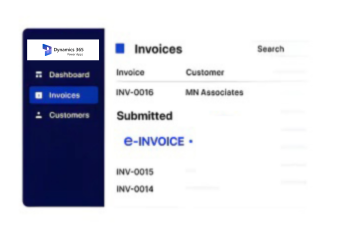
Examine invoice records, approval states, and ERP references through one application-focused workspace.
Data Relationship Explorer
Inspect connections between Dataverse records, source ERP information, and invoice documents.
Workflow Exception Panel
Identify incomplete records, processing responses, and approval issues before finance teams finalise transactions.
Power Apps Support Across South Africa
Advintek links Power Apps with ERP systems and structured e-invoicing workflows, connecting application, customer, supplier, approval, financial, and invoice data across South Africa.
- Support Power Apps across South Africa
- Connect ERP records with invoice preparation
- Coordinate approvals across financial workflows
- Review invoice responses within applications
Activate South Africa E-Invoicing
Streamline ERP invoice workflows across seamlessly connected business applications.
Enable South Africa e-invoicing for Microsoft Power Apps through Advintek.
Ready e-Invoice System
Frequently Asked Questions Power Apps e-Invoicing South Africa
How can Microsoft Power Apps connect ERP data with e-invoicing?
Microsoft Power Apps can provide application interfaces that work with business data stored in Dataverse or connected external systems. Advintek can use selected ERP-linked records from those workflows for electronic invoice preparation. This allows organisations to place invoice processing around existing ERP data while maintaining application-based approvals, business rules, and user interactions.
Can Microsoft Power Apps work with ERP records outside Microsoft?
Yes. Microsoft documents multiple approaches for bringing external data into Dataverse, including connections with ERP and other line-of-business systems. Advintek can work with the relevant connected information required for invoice processing. This allows Power Apps to act as an application layer while the underlying ERP remains responsible for core business transactions.
What Microsoft Power Apps data can support invoice creation?
Depending on the solution design, invoice workflows can use customer, supplier, product, account, transaction, tax, approval, and ERP reference information. Advintek can organise selected fields into the required electronic invoice structure. This helps businesses connect application-generated records with financial documents while retaining relationships to their originating ERP information.
How does Microsoft Power Apps help ERP approval workflows?
Microsoft Power Apps can provide forms and business processes for reviewing and approving ERP-related information before invoice preparation. Advintek can receive records after the configured approval stage and process relevant information electronically. This creates a controlled path from operational review through invoice preparation without requiring finance teams to recreate approved ERP information manually.
How can Microsoft Power Apps users prepare for SARS VAT modernisation?
SARS has proposed a Digital VAT Model combining e-Invoicing, an Interoperability Framework, and e-Reporting. Organisations using Power Apps can review how ERP, Dataverse, approval, tax, and invoice information flows across their applications. Advintek can connect relevant records with structured electronic invoice processing as South Africa develops its digital VAT framework.