Compliance That Fits Odoo Users
How Odoo Data Enters Advintek
- Transaction Data Capture: Captures approved Odoo sales information and prepares selected fields for electronic invoice processing workflows securely.
- Customer Reference Matching: Matches customer, contact, and company references against configured invoice requirements before document creation begins.
- Invoice Content Assembly: Combines product, quantity, pricing, delivery, and tax information into structured electronic invoice records consistently.
- Financial Field Review: Checks accounting and tax attributes before invoices proceed through configured electronic processing and exchange workflows.
- Response Status Recording: Records processing outcomes beside source transactions so Odoo users can investigate invoice exceptions efficiently.
- Source Transaction Linking: Links completed invoices with originating orders and accounting entries for reconciliation and transaction review.
What Advintek Connects With Odoo
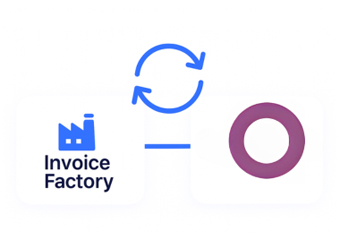
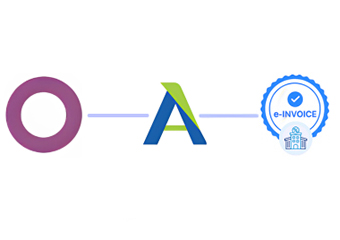
Advintek connects Odoo with electronic invoicing while linking relevant ERP data, customer records, business transactions, tax information, approvals, and accounting details into a controlled invoice workflow.
- Connect Odoo sales data with Advintek
- Coordinate customer records across invoice workflows
- Link inventory details with billing documents
- Trace invoices against originating Odoo transactions
Why Odoo ERP Teams Connect Advintek
- Commerce Process Continuity: Extends Odoo sales activity into electronic invoicing while retaining established commercial and accounting workflows.
- Transaction Linkage Control: Connects customers, orders, products, invoices, and journal entries for easier transaction tracking and review.
- Inventory Billing Alignment: Links inventory movements and delivery details with invoices when product activity affects billing documentation.
- Supplier Invoice Coordination: Associates supplier and purchasing information with relevant financial invoice records for connected procurement workflows.
- Accounting Workflow Extension: Adds structured electronic invoice handling to Odoo accounting while providing greater visibility into document processing status.
- Digital VAT Preparation: Helps South Africa organisations structure connected invoice workflows around the country’s proposed digital VAT framework.
One Connected Platform for South Africa e-Invoicing
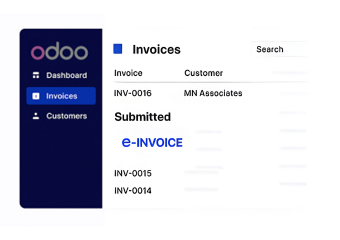
Financial Review Workspace
Review invoice records, source orders, and accounting references through a focused Odoo finance workspace.
Transaction Comparison View
Compare electronic documents with sales and journal entries during reconciliation and exception investigation.
Response Analysis Panel
Examine invoice processing responses alongside affected orders, customers, and accounting transactions through one workspace.
Odoo Support for Businesses Across Slovenia
Advintek connects Odoo with structured e-invoicing, coordinating sales, accounting, inventory, purchasing, manufacturing, customer, supplier, and tax data within South Africa’s proposed Digital VAT Model.
- Support Odoo operations across South Africa
- Connect ERP records with invoice preparation
- Coordinate tax details across business workflows
- Review invoice responses within Odoo processes
Strengthen Your Accounting Invoice Workflow
Connect Odoo with South Africa e-invoicing through Advintek today.
Coordinate invoices across connected Odoo workflows.
Ready e-Invoice System
Frequently Asked Questions Odoo E-Invoicing South Africa
How does Odoo connect with South Africa e-invoicing?
Advintek connects Odoo sales, accounting, inventory, purchasing, and customer records with an electronic invoice-processing layer. Relevant ERP fields can be selected and structured for electronic documents while their source relationships remain available in Odoo. This gives businesses a controlled route from everyday ERP transactions into South Africa e-invoicing workflows securely.
Which Odoo modules can feed electronic invoice workflows?
Depending on configuration, invoice workflows can use information from Odoo Sales, Accounting, Inventory, Purchase, Contacts, and related business applications. Customer references, products, quantities, taxes, orders, deliveries, supplier information, and accounting entries can be mapped as required. This allows electronic invoices to retain meaningful links with the ERP records supporting each transaction.
Can Odoo accounting entries remain connected to invoices?
Yes. Odoo automatically creates journal entries for accounting transactions such as customer invoices, vendor bills, point-of-sale orders, expenses, and inventory valuations. Advintek can associate electronic invoice records with relevant Odoo accounting references, giving finance teams a clearer path for reconciliation, investigation, and document review without replacing Odoo’s underlying accounting processes.
How should Odoo users prepare for SARS VAT modernisation?
SARS has proposed a Digital VAT Model combining e-Invoicing, an Interoperability Framework, and e-Reporting. Odoo users can review how customer, supplier, sales, tax, inventory, and accounting information moves through their ERP. Advintek can provide a structured electronic invoice connection around relevant Odoo records as South Africa develops its digital VAT administration framework.
What does e-invoice software add to Odoo ERP?
e-Invoice software can extend Odoo with structured document preparation, field organisation, processing responses, exception visibility, and source-record traceability. Advintek connects relevant Odoo transactions with electronic invoice workflows, helping finance and operational teams follow documents from ERP activity through processing. Odoo remains the central business platform while invoicing gains a dedicated electronic processing layer.